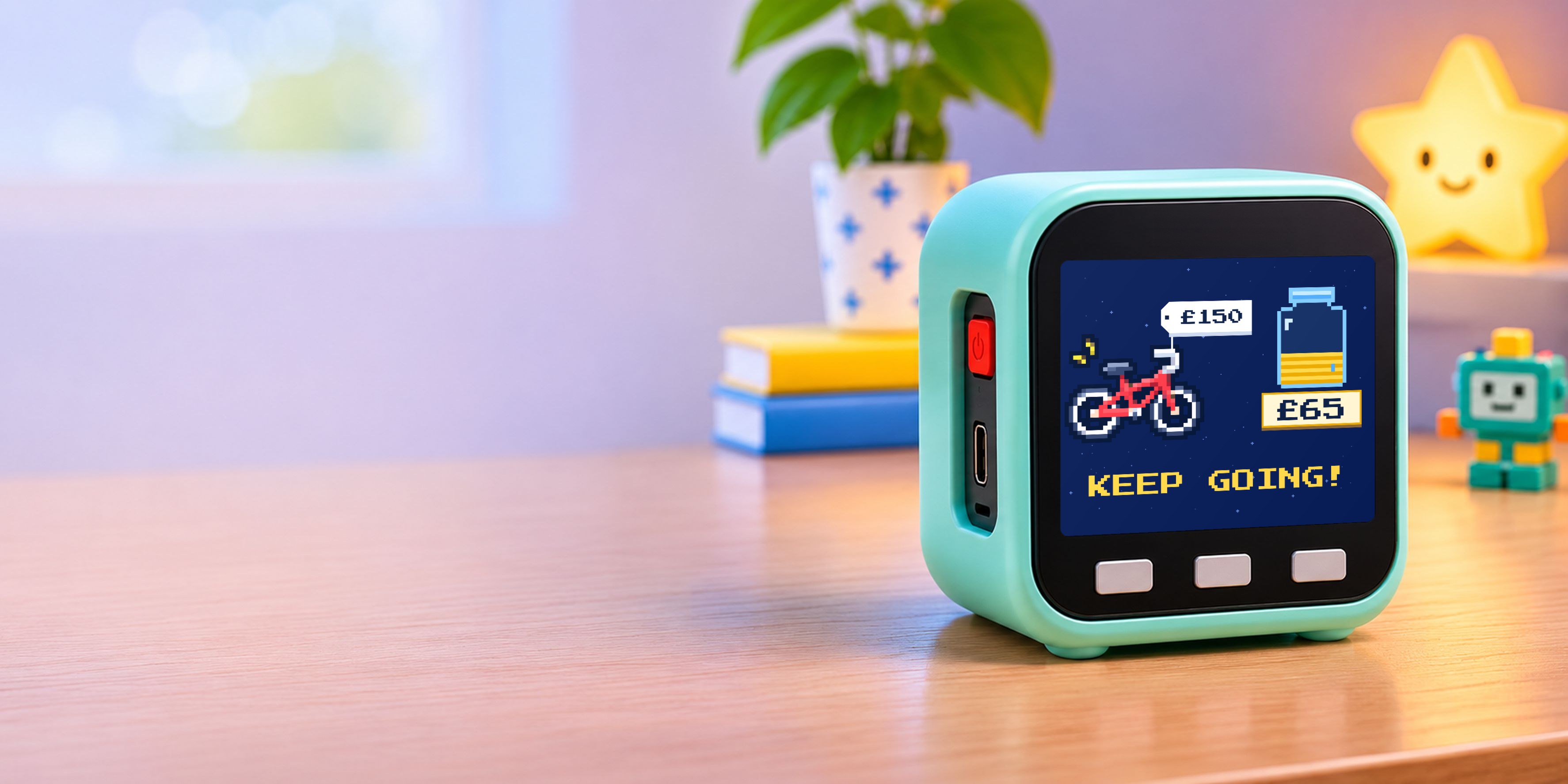


A mint-green Plinklet on a child's desk beside a glowing star lamp. Its screen shows a pixel-art bike with a £150 price tag, a jar with £65 saved, and the words Keep going!
For 5 to 11-year-olds · No apps, no ads, no scrolling

Have I got
enough yet?

Plinklet is a little screen on your child’s shelf that answers that question for them. You log the money from your phone. They watch their jar fill up as the money comes in.

New bike£150
Games console£50
Scooter£60
Building set£35
Theme park day£40
Guitar£80
Pet supplies£25
Paint set£18
Why I made it

The same question, every week.

Daddy, have I got enough for it yet?Every few days, in my house

My kids save. Birthday money from their grandparents, a bit of pocket money, the odd fiver from an uncle. It all goes into a savings account that I look after.

So whenever they wanted to know how close they were, they came to me. I’d open my banking app, scroll past my own bills to find their account, and give the same answer.

Not yet.

They’d ask how much more. I’d say “quite a bit”. They’d wander off a little deflated, and a week later we’d do it all again.

I wanted them to see it for themselves. But I wasn’t going to hand a seven-year-old my phone with my bank open on it. One wrong tap and you’ve paid someone, or moved money you didn’t mean to.

What bothered me most was that “not yet” teaches nothing. It closes the conversation. It doesn’t tell a child how close they are, how long it might take, or what they could do about it.

So I made them something that does.

What changed

How do I get that?

When a child can see the price on the bike and their own money in the jar, wanting turns into planning. They watch the jar go from Keep going! to Halfway! One more press shows exactly how much more they need. They ask what jobs they could do. They notice that £5 a week gets them there by spring, and that sweets on the way home push it back.

  1. £150THE GOAL
  2. £30KEEP GOING!
  3. £75HALFWAY!
  4. £120NEARLY THERE!
How it works

You tap add. Their shelf celebrates.

Plinklet and the app are two halves of one thing. Parents keep the money side on their phone. Children get the picture. Have a go.

Add money for Pavan
Amount £20
Who’s it from?
Message for Plinklet (optional)
Happy birthday Pavan!
Goes to
New bike
£65 of £150 · on Plinklet
Change
On your phoneLog it in secondsPick the amount and who it’s from. That’s it.
Over Wi-FiPlinklet hears about itEven when you’re at work and Nani is the one sending.
On the shelfThe jar fills upA jingle, who sent it, and the jar fills a little more. Fill the jar and it’s theirs.
The parent app

Everything you need. Nothing to fiddle with.

One big button to add money, the goal your child picked, and a history of who helped. The pixel art in the app matches the device, so it all feels like one thing.

HomeThe goal on Plinklet right now, how much is saved, and the latest gift.
GoalsWhat’s on Plinklet, what’s up next, and a trophy shelf of goals reached.
ActivityEvery amount added, who it came from, and this month at a glance.
Safe by design

Nothing on it they can break.

Plinklet only shows. It can’t move money, and it never touches your bank.

  • No banking app in little handsYou log amounts in the Plinklet app. Your bank login stays on your phone.
  • No microphone, no cameraA screen, three buttons and a speaker for the jingle. That’s all.
  • Parents onlyOnly you use the app. We keep your child’s first name and age, nothing more.
  • Bedtime modeThe screen sleeps overnight, so it never becomes something to stare at in bed.
How I built it

A designer, a dev board and an AI partner.

I design digital products for a living. I don’t write firmware. Here’s how Plinklet went from a kitchen-table idea to a screen on my kids’ shelf.

  1. 1
    Design the screens first

    I started with the experience. Parents need one big button to add money. Kids need one picture and something to count. I drew pixel-art goals so the phone and the device feel like one product, and swapped percentages for blocks a five-year-old can count.

  2. 2
    Find hardware that already works

    I didn’t want to design a circuit board just to test an idea. The M5Stack Core Basic is an off-the-shelf ESP32 device, about 5 cm square, with a bright screen, Wi-Fi, three buttons and a speaker. No microphone, no camera. That settled it.

    ESP32320 × 240 screen2.4 GHz Wi-FiUSB-C
  3. 3
    Build the app with Claude

    I worked with Claude, Anthropic’s AI, as my engineering partner. I brought the designs and the decisions. Claude helped turn them into a working parent app, set up the small online database behind it, and write the code that runs on the device.

  4. 4
    Connect the two

    The app and Plinklet never talk directly. When I log £5, the app saves it online and Plinklet picks it up over Wi-Fi a moment later, so it updates even when I’m out. Setup is a pairing code on the screen and your Wi-Fi password.

Early access

Put one on their shelf.

I’m building the first Plinklets now. Leave your name and email and I’ll tell you when you can get one.

I’ll only use your name and email to tell you about Plinklet. Unsubscribe any time.